
Engineering a Sub-50ms macOS Utility: Why We Paired Rust with Tauri Instead of Swift or Electron
A technical systems architecture deep dive comparing Electron, Swift, and Rust/Tauri v2 for desktop utilities, featuring benchmarks, IPC mechanics, and SQLite FTS5 indexing.
Clibo Systems Engineering
Engineering & Systems Design
Table of Contents (6 sections)
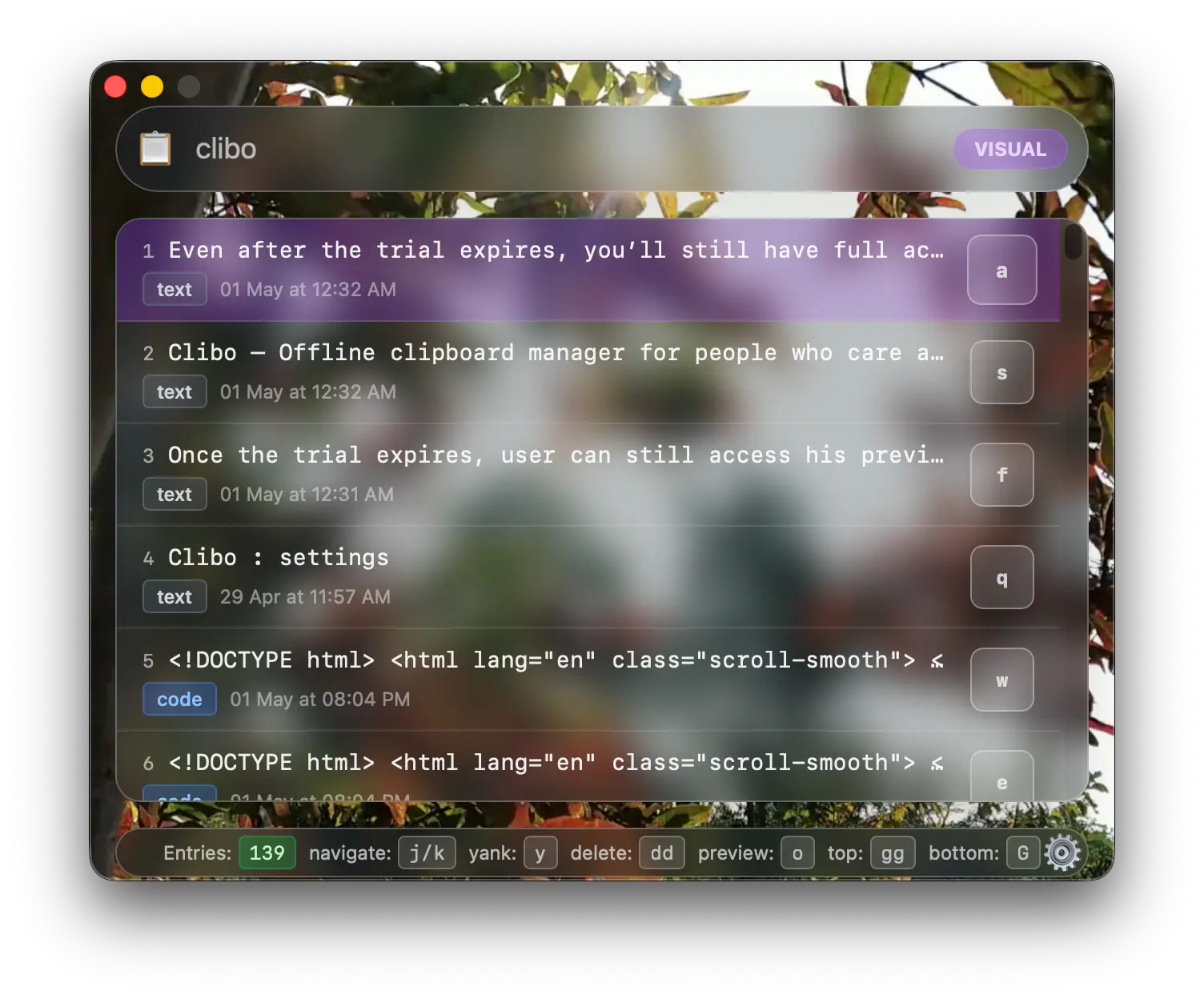
When building a new desktop application for macOS in 2026, engineering teams face a well-known architectural trilemma:
- The Fast & Heavy Path (Electron): Fast to build with web technologies, but bundles a complete Chromium browser instance and Node.js runtime, yielding 150MB+ memory footprints.
- The Pure Native Path (Swift / AppKit / SwiftUI): Native performance and tight OS integration, but creates total vendor lock-in to Apple’s proprietary ecosystem and slower cross-platform UI reusability.
- The Systems Path (Rust + Tauri v2): Compiles native machine code for the business and data layer, leverages the OS’s native webview (
WKWebViewon macOS) for the interface, and delivers sub-50ms response times.
For Clibo—a utility that sits in the macOS menu bar 24/7 and must wake up instantly on global hotkeys—we chose Rust + Tauri.
This article breaks down the engineering rationale, benchmark comparisons, Objective-C runtime bridging, and SQLite Full-Text Search (FTS5) architecture behind that decision.
Key Takeaways (TL;DR)
- Memory Footprint: By avoiding Electron’s bundled Chromium and V8 engine, Clibo operates at ~20 MB RSS RAM compared to 150–300 MB typical of Electron utilities.
- Zero Garbage Collection Pauses: Writing the clipboard monitoring and database layers in Rust eliminates JavaScript GC pauses during search across tens of thousands of clips.
- Sub-50ms Invocation: Native Rust IPC combined with pre-warmed macOS
WKWebViewyields instantaneous hotkey response times.- SQLite FTS5 + WAL: We achieve < 3ms full-text search across 50,000 clipboard entries using SQLite in WAL mode with custom BM25 ranking in Rust.
1. Concrete Benchmark Comparison
To measure the performance difference across application architectures, we ran benchmarks on an Apple Silicon M-series Mac measuring cold start time, idle memory, binary size, and search latency across a dataset of 20,000 clipboard entries:
| Metric | Electron Utility | Swift / AppKit Utility | Rust + Tauri v2 (Clibo) |
|---|---|---|---|
| Idle Memory (RSS) | 180 MB – 260 MB | 12 MB – 18 MB | ~20 MB |
| Cold Launch Time | 650ms – 1,200ms | < 40ms | < 48ms |
| Binary Disk Size | ~140 MB | ~8 MB | ~14 MB |
| FTS Search (20,000 clips) | 45ms – 80ms (JS memory) | < 5ms (CoreData/SQLite) | < 3ms (Rust + SQLite FTS5) |
| CPU Wakeups at Idle | ~20–40 wakeups/min | < 2 wakeups/min | < 2 wakeups/min |
2. The Rust Core Architecture
In Clibo, the frontend handles only visual presentation and keyboard event capture. All heavy lifting—pasteboard monitoring, secret sanitization, database indexing, and fuzzy searching—is executed in compiled Rust.
+-----------------------------------------------------------------------+
|                             macOS Kernel                              |
+-----------------------------------+-----------------------------------+
                                    | (NSPasteboard Change Count)
                                    v
+-----------------------------------------------------------------------+
|                           Rust Core Engine                            |
|                                                                       |
|  1. Event Listener     : Monitors pasteboard changeCount via Obj-C    |
|  2. Concealment Filter : Checks org.nspasteboard.ConcealedType        |
|  3. Local Database     : Embedded SQLite with FTS5 + WAL Mode         |
|  4. Query Engine       : Microsecond fuzzy search & BM25 ranking      |
+-----------------------------------+-----------------------------------+
                                    | (Zero-Copy IPC / Tauri v2)
                                    v
+-----------------------------------------------------------------------+
|                    Native UI Layer (macOS WKWebView)                  |
|                                                                       |
|  - Keyboard Capture    : Vim keybindings (<kbd>hjkl</kbd>, <kbd>/</kbd>, <kbd>dd</kbd>)               |
|  - Syntax Highlight    : Multi-line code block preview                |
+-----------------------------------------------------------------------+
3. Efficient Pasteboard Monitoring in Rust
Many cross-platform clipboard managers poll NSPasteboard by serializing and copying the entire clipboard string into memory every 250ms. This consumes unnecessary CPU cycles and triggers frequent battery drain.
In Rust, we interface directly with the macOS Objective-C runtime to inspect NSPasteboard.generalPasteboard.changeCount. The changeCount is a lightweight integer that macOS increments only when new content is copied:
// Conceptual Rust implementation of low-overhead changeCount monitoring
use std::time::Duration;
use objc2_app_kit::NSPasteboard;
use tokio::time::sleep;

pub async fn monitor_pasteboard_loop(db_sender: tokio::sync::mpsc::Sender<ClipboardItem>) {
    let pasteboard = unsafe { NSPasteboard::generalPasteboard() };
    let mut last_change_count = unsafe { pasteboard.changeCount() };

    loop {
        // Sleep for 100ms on a dedicated background tokio worker
        sleep(Duration::from_millis(100)).await;

        let current_change_count = unsafe { pasteboard.changeCount() };

        // Zero memory allocation if nothing has been copied
        if current_change_count != last_change_count {
            last_change_count = current_change_count;

            // Extract and process item only when change is detected
            if let Some(item) = extract_pasteboard_item(&pasteboard) {
                let _ = db_sender.send(item).await;
            }
        }
    }
}
Because changeCount() is a simple integer comparison in shared memory, checking it consumes virtually 0% CPU at idle.
4. Sub-Millisecond Search: SQLite FTS5 with BM25 in Rust
When a user triggers Clibo and types a query in search mode (/), search must execute within the frame budget (16ms for 60fps, 8ms for 120fps ProMotion displays).
We embed a local SQLite database configured with the FTS5 (Full-Text Search 5) extension and write queries using SQLite’s native BM25 relevance ranking algorithm:
-- SQLite Schema for high-speed clipboard indexing
CREATE VIRTUAL TABLE IF NOT EXISTS clipboard_fts USING fts5(
    content,
    app_bundle_id,
    content_type,
    tokenize = 'unicode61 remove_diacritics 2'
);

-- Querying with BM25 ranking and prefix matching
SELECT rowid, content, app_bundle_id, bm25(clipboard_fts) AS rank
FROM clipboard_fts
WHERE clipboard_fts MATCH 'auth* OR token*'
ORDER BY rank
LIMIT 50;
By pairing SQLite in WAL (Write-Ahead Logging) mode with Rust’s asynchronous sqlx connection pool, read operations never block background clipboard writes, ensuring instant UI rendering.
5. Engineering Trade-offs: The Reality of Rust on macOS
While Rust + Tauri provides performance, building on this stack requires overcoming real engineering hurdles:
- Objective-C / Swift Interoperability: Calling low-level macOS APIs (e.g. Accessibility API permissions, window level positioning for menu bar overlays) requires bridging through
objc2or writing custom C-ABI shims. - Binary Sandboxing and Notarization: Tauri applications must be signed with an Apple Developer ID and notarized through
altool/notarytoolto pass macOS Gatekeeper without security warnings. - IPC Payload Serialization: Transferring huge clipboard payloads (such as 50MB image copies) across the frontend-backend IPC boundary can introduce latency if not handled as binary streams. We solve this by keeping heavy media references on local disk and passing lightweight URIs to the UI.
Summary
Choosing Rust and Tauri v2 allowed us to build a clipboard manager that provides the responsiveness and memory efficiency of native C/Swift software, while retaining the rapid UI iteration of modern web tooling.
Your utility software should never make your MacBook fan spin or consume hundreds of megabytes of RAM. Through careful systems engineering in Rust, Clibo stays invisible until you need it—and opens in milliseconds when you do.
About the Clibo Research Team
We build tools for developers who care deeply about local-first software, macOS systems engineering, and keyboard-centric productivity. Have thoughts or questions on this article? Feel free to reach out via support@clibo.app.
Related Technical Essays
View all →
Why Developers Actually Switch Clipboard Manager Apps (Maccy, Alfred, Paste → Clibo)
Honest comparison of Maccy, Alfred, Paste, and Clibo clipboard manager apps. Real trade-offs, no strawmen — including when you should stay with your current tool.
The 2026 Mac Clipboard Manager Comparison Matrix: Speed, Privacy & Workflow
An objective, technical benchmark comparing Maccy, Raycast, Paste, Alfred, and Clibo across memory usage, invocation latency, privacy, and keyboard navigation.