
The 2026 Mac Clipboard Manager Comparison Matrix: Speed, Privacy & Workflow
An objective, technical benchmark comparing Maccy, Raycast, Paste, Alfred, and Clibo across memory usage, invocation latency, privacy, and keyboard navigation.
Clibo Engineering
Engineering & Systems Design
Table of Contents (10 sections)
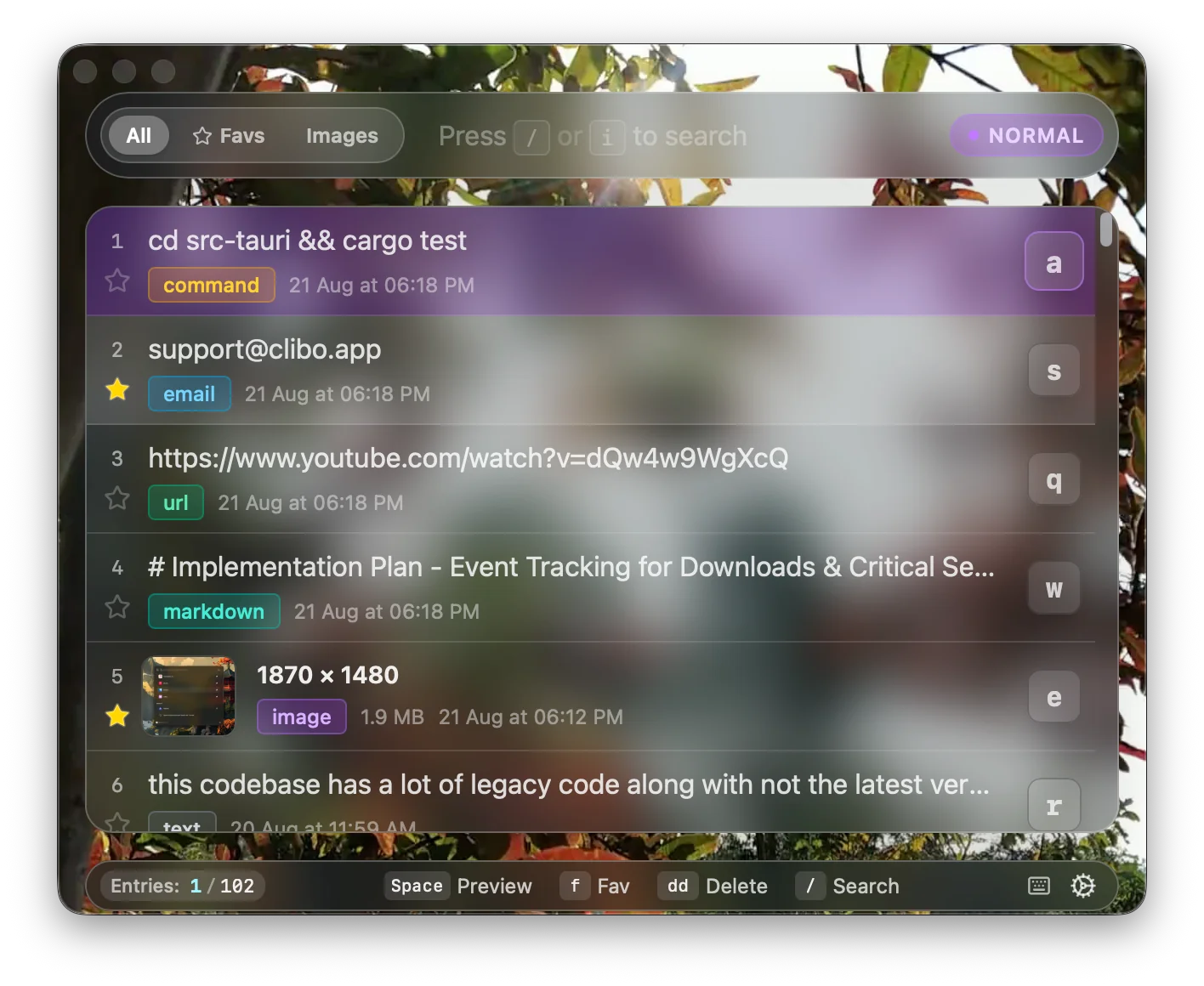
Finding the right clipboard manager for macOS often feels like navigating a minefield of over-designed subscription apps, sluggish Electron utilities, and unmaintained open-source repositories.
For software engineers, system administrators, and power users, a clipboard manager is not just another menu bar accessory. It is an extension of your working memory. If it consumes 300MB of RAM, lags on cold launch, or uploads your .env variables to a third-party server, it fails the baseline criteria of good utility software.
This article provides an objective, benchmark-driven technical breakdown of the top macOS clipboard tools in 2026: Maccy, Raycast (Clipboard Extension), Paste, Alfred (Clipboard History), Flycut, and Clibo.
Key Takeaways (TL;DR)
- Lightest Open-Source Option: Maccy (Swift/AppKit) offers a minimal, menu-bar-first interface with zero telemetry.
- Best All-In-One Launcher: Raycast provides clipboard history built into its launcher ecosystem, though it requires Raycast to remain running in memory.
- Best for Visual / Rich Media: Paste excels at graphical UI cards and pinboards, but requires an ongoing subscription.
- Best for Modal / Vim Speed: Clibo is built in Rust with native hjkl navigation, sub-50ms opening speed, and local-only SQLite storage.
1. Technical Benchmark Comparison Matrix
The following matrix compares the leading Mac clipboard managers across their underlying architecture, idle resource consumption, latency, and data governance:
| Tool | Core Engine | Idle Memory (RAM) | Invocation Latency | Storage Subsystem | Keyboard Model | Pricing Model |
|---|---|---|---|---|---|---|
| Clibo | Rust + Tauri | ~20 MB | < 50ms | Local SQLite (FTS5) | Vim Modal (hjkl, /, dd) | One-Time ($19 / $29) |
| Maccy | Swift / AppKit | ~18 MB | < 60ms | Local SQLite / CoreData | Standard Arrow / Number keys | Free / Pay what you want |
| Raycast | React + Node/Rust | ~180-250 MB (Full Launcher) | < 80ms | Local SQLite Encrypted | Standard Shortcuts / fuzzy | Free tier / Team Sub |
| Paste | Swift / SwiftUI | ~65-90 MB | ~120ms | iCloud Sync / CoreData | Visual Card Carousel | $14.99/yr Subscription |
| Alfred | Objective-C | ~25 MB | < 50ms | Local Flat File / SQLite | Standard Shortcuts | Powerpack (£34+) |
| Flycut | Objective-C (Legacy) | ~12 MB | < 40ms | Local Plist / Memory | Bezel Overlay | Free / Open Source |
2. In-Depth Architectural Breakdown
1. Clibo
- Architecture: Rust backend monitoring
NSPasteboardwith Tauri/WKWebView frontend. - Strengths:
- Sub-50ms cold launch latency.
- Native modal keybindings: full list movement with j/k, instant search with /, and item deletion with dd.
- Strict offline architecture: zero cloud sync, zero telemetry network sockets.
- Built-in per-app exclusion rules to prevent recording from password managers and encrypted notes.
- Trade-offs: Local-only by design. Does not offer cross-device iOS syncing.
2. Maccy
- Architecture: Pure Swift and AppKit native macOS menu bar app.
- Strengths:
- Open-source and community-maintained.
- Clean native macOS menu look and feel.
- Supports pinning items and basic search.
- Trade-offs:
- Menu-bar-constrained UI: long code snippets or multi-line text clips are truncated and hard to preview before pasting.
- Relies on traditional arrow keys and mouse selection.
3. Raycast (Clipboard History Feature)
- Architecture: Rust core powering a Node.js/React extension runtime.
- Strengths:
- Seamlessly integrated if you already use Raycast as your primary spotlight replacement.
- Supports rich previews, JSON formatting, and quick copy-as-plaintext commands.
- Trade-offs:
- High baseline memory overhead (~200MB+) because the full launcher runtime must remain active.
- Navigation follows standard launcher search patterns rather than dedicated modal editor workflows.
4. Paste
- Architecture: Swift with heavy SwiftUI visual components.
- Strengths:
- Beautiful visual card carousel at the bottom of the screen.
- Organizes clips into color-coded “Pinboards”.
- Seamless iCloud sync across macOS, iPadOS, and iOS.
- Trade-offs:
- Requires a recurring annual subscription.
- Heavier UI transition animations add perceptible cognitive and visual overhead for keyboard-focused workflows.
- Cloud storage of pasteboard data raises data compliance concerns in strict corporate environments.
5. Alfred (Powerpack Clipboard History)
- Architecture: Highly optimized legacy Objective-C codebase.
- Strengths:
- Battle-tested stability over a decade of macOS releases.
- Extremely lightweight memory footprint (~25MB).
- Merged snippets and clipboard history search.
- Trade-offs:
- UI appearance feels dated compared to modern macOS design standards.
- Requires purchasing the full Alfred Powerpack license.
3. Which Clipboard Manager Should You Choose?
+-------------------------------------------------------------------+
|                     Decision Framework                            |
+-------------------------------------------------------------------+
| Do you already use Raycast for everything?                         |
|   ├── YES  ──> Use Raycast Clipboard History                      |
|   └── NO                                                          |
|       │                                                           |
|       ├── Need visual UI cards & iOS sync?                        |
|       │     └── YES  ──> Paste (Annual Subscription)             |
|       │                                                           |
|       ├── Want free, basic open-source menu bar list?             |
|       │     └── YES  ──> Maccy (Swift)                            |
|       │                                                           |
|       └── Want sub-50ms speed, local privacy & Vim navigation?    |
|             └── YES  ──> Clibo (One-time purchase)                |
+-------------------------------------------------------------------+
Persona Recommendations:
- The Terminal & Modal Editor Purist (Neovim / VSCode Vim / Tmux):
- Recommendation: Clibo. Your muscle memory from
<kbd>hjkl</kbd>and<kbd>/</kbd>carries over without lifting your hands to the trackpad.
- Recommendation: Clibo. Your muscle memory from
- The All-In-One Launcher User:
- Recommendation: Raycast. If you already run Raycast continuously for window management and script commands, its built-in clipboard history is convenient.
- The Visual Content Creator / Designer:
- Recommendation: Paste. If your clipboard consists primarily of high-resolution images, Figma assets, and color swatches, visual pinboards are unmatched.
- The Privacy-Conscious / Enterprise Engineer:
- Recommendation: Clibo or Maccy. Both keep 100% of clipboard history on local disk, respect password manager concealment flags, and make zero network requests.
Summary
The best clipboard manager is one that operates at the speed of your thought. When evaluating tools, weigh the trade-offs between rich-media visual carousels, launcher integration, and hyper-focused modal keyboard efficiency.
About the Clibo Research Team
We build tools for developers who care deeply about local-first software, macOS systems engineering, and keyboard-centric productivity. Have thoughts or questions on this article? Feel free to reach out via support@clibo.app.
Related Technical Essays
View all →Why Developers Actually Switch Clipboard Manager Apps (Maccy, Alfred, Paste → Clibo)
Honest comparison of Maccy, Alfred, Paste, and Clibo clipboard manager apps. Real trade-offs, no strawmen — including when you should stay with your current tool.
How macOS Clipboard Architecture Works (and How to Master Clipboard History)
A deep technical dive into the macOS pasteboard subsystem, pbcopy/pbpaste CLI pipelines, daemon troubleshooting, and modern clipboard history management.